
EPFO Introduces New Browser-Independent DSC Utility for Employers — Effective 10 October 2025
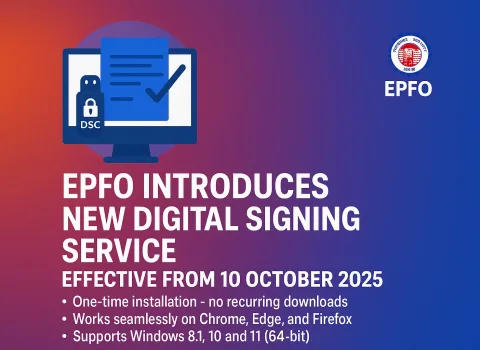
The Employees’ Provident Fund Organisation (EPFO) has taken a major step toward simplifying employer-side digital compliance. Starting 10 October 2025, EPFO has rolled out a new Digital Signature Certificate (DSC) Utility that works seamlessly across all major browsers—eliminating years of frustration caused by browser compatibility issues.
Say goodbye to messy Java setups, NPAPI blockers, repeated downloads, and browser restrictions.
The new utility promises faster signing, smoother workflows, and a more secure digital experience for employers across India.
✅ Why This New EPFO DSC Utility Matters
The previous DSC setup often required specific browsers, repeated installations, and compatibility tweaks. Employers struggled with signing essential forms—especially those related to the Higher Pension (EPS) or joint declarations.
The new DSC utility solves these problems by offering:
-
One-time installation
-
Cross-browser compatibility (Chrome, Firefox & Microsoft Edge)
-
Secure USB token-based signing
-
Optimized performance for EPFO Employer Unified Portal
EPFO’s initiative aligns with its broader vision of promoting paperless governance, stronger data security, and hassle-free digital approvals.
✅ Key Features at a Glance
1. Browser Independence
The utility now works smoothly across:
-
Google Chrome
-
Mozilla Firefox
-
Microsoft Edge
No more switching browsers just for EPFO tasks.
2. USB Token Authentication
Employers must use a valid Class 3 / Type 2 DSC USB token, ensuring high-level security during digital approvals.
3. Faster & Smoother Signing Process
The signing flow has been optimized to reduce delays and errors—especially for frequently used employer services.
4. One-Time Setup
After the initial installation, the system runs quietly in the background. No recurring downloads. No repeated configurations.
✅ Where the New DSC Utility is Used
Initially, EPFO is enabling the new DSC for high-priority employer functions, such as:
-
Approval of Joint Declaration Forms (especially for Higher Pension under EPS)
-
Employer-side approvals requiring digital signatures
-
Pension-related workflows
-
Any EPFO service accessed through the Unified Employer Portal
✅ Minimum System Requirements
To use the new EPFO DSC utility without issues, ensure your system has:
Operating System
-
Windows 8.1 (64-bit)
-
Windows 10 (64-bit)
-
Windows 11 (64-bit)
Supported Browsers
-
Chrome
-
Edge
-
Firefox
Other Requirements
-
Valid DSC USB Token
-
Port 60015 open on your local system
-
Certificate Authorities properly imported into your browser
-
Stable internet connection for certificate verification
✅ How to Download & Install the EPFO DSC Utility
-
Log in to the EPFO Unified Portal (Employer)
-
Navigate to any DSC-enabled service (e.g., Higher Pension Joint Declaration)
-
Download the file:
EPFO_DSC_Signer_1.0.0.exe -
Run the installation
-
Click More Info → Run Anyway (if Windows shows a security prompt)
-
-
Accept the license agreement & finish setup
-
Launch the DSC Service icon on your desktop
-
The service will run in the background—ready for use
✅ Browser Setup Instructions
For Chrome & Edge
-
Go to:
Settings → Privacy & Security → View Certificates → Authorities → Import -
Import from:
C:\Program Files (x86)\DSC Service\1.0.0\ -
Enable trust settings
For Firefox
-
Go to:
Settings → Privacy & Security → Manage Certificates -
Under “Authorities”, import the same CA file
-
Confirm trust permissions
✅ How to Use the DSC for EPFO Services
-
Log in to the Employer Unified Portal
-
Open the required DSC-enabled section
-
Select action (Approve / Reject)
-
Connect your DSC USB token
-
Select the signing authority
-
Enter your DSC PIN
-
Sign the PDF
-
Verify the confirmation message
Your digitally signed document is now ready for submission.
✅ Common Error: CRL Verification Timeout
If you see a CRL verification timeout error, it usually means:
-
Certificate Revocation List (CRL) link is blocked by your firewall
-
Internet is not reaching CRL servers
Solution:
Open the CRL URL from your certificate details in your browser.
If it fails, ask your IT team to whitelist the link.
✅ Final Words: Configure Before the Deadline
EPFO has made it clear:
The new DSC process becomes mandatory from 10 October 2025.
To avoid last-minute glitches and delays in important workflows such as Higher Pension approvals, employers should complete their installation and setup early.
“Simplify Compliance. Secure the Future.”
PCS is here to support you with EPFO, ESIC, LWF, and all labour law compliance needs.